WolfArray — File I/O
Note — All I/O operations shown here work identically on
WolfArrayModel(no GUI dependency). See the Model/GUI architecture tutorial for details.
A WolfArray supports multiple file formats. The constructor auto-detects the format from the file extension:
Extension |
Format |
CRS embedded? |
|---|---|---|
|
Wolf binary (default) |
No (separate |
|
GeoTIFF |
Yes |
|
GDAL Virtual Raster |
Yes |
|
NumPy binary |
No |
|
Binary raster |
No |
The Wolf binary format stores an auxiliary header file alongside the data file.
[1]:
from wolfhece.wolf_array import WolfArray, header_wolf
import numpy as np
import tempfile, os, shutil
Creating a Sample Array
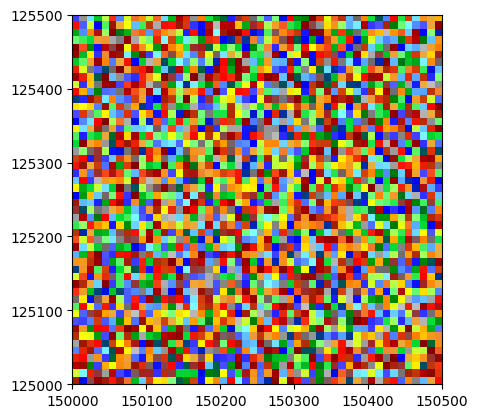
We first build a small array to use throughout this tutorial.
[2]:
h = header_wolf()
h.shape = (50, 50)
h.set_resolution(10., 10.)   # 10 m per pixel
h.set_origin(150000., 125000.)  # Belgian Lambert 72

wa = WolfArray(srcheader=h)
rng = np.random.default_rng(42)
wa.array[:, :] = rng.uniform(50., 200., size=(50, 50))
wa.plot_matplotlib()
[2]:
(<Figure size 640x480 with 1 Axes>, <Axes: >)
Saving as Wolf Binary (.bin)
The .bin format is the native WOLF format. write_all() creates the binary data file and a companion header file.
[3]:
tmpdir = tempfile.mkdtemp()

bin_path = os.path.join(tmpdir, 'demo.bin')
wa.write_all(bin_path)
print('Files created:', sorted(os.listdir(tmpdir)))
Files created: ['demo.bin', 'demo.bin.txt']
[4]:
# Reload from Wolf binary
wa_bin = WolfArray(fname=bin_path)
print(wa_bin)
print('Data match:', np.allclose(wa.array.data, wa_bin.array.data))
Shape  : 50 x 50
Resolution  : 10.0 x 10.0
Spatial extent :
   - Origin : (150000.0 ; 125000.0)
   - End : (150500.0 ; 125500.0)
   - Width x Height : 500.0 x 500.0
   - Translation : (0.0 ; 0.0)
Null value : 0.0


Data match: True
Saving as GeoTIFF (.tif)
GeoTIFF embeds georeferencing and coordinate reference system. Use the EPSG parameter to specify the CRS.
EPSG 31370 = Belgian Lambert 72 (the default in Wolf).
[5]:
tif_path = os.path.join(tmpdir, 'demo.tif')
wa.write_all(tif_path, EPSG=31370)
print('GeoTIFF created:', os.path.exists(tif_path))
GeoTIFF created: True
[6]:
# Reload from GeoTIFF
wa_tif = WolfArray(fname=tif_path)
print(wa_tif)
print('Data match:', np.allclose(wa.array.data, wa_tif.array.data))
Shape  : 50 x 50
Resolution  : 10.0 x 10.0
Spatial extent :
   - Origin : (150000.0 ; 125000.0)
   - End : (150500.0 ; 125500.0)
   - Width x Height : 500.0 x 500.0
   - Translation : (0.0 ; 0.0)
Null value : 0.0


Data match: True
Saving as NumPy (.npy)
The .npy format stores only the raw array data — no georeferencing.
[7]:
npy_path = os.path.join(tmpdir, 'demo.npy')
wa.write_all(npy_path)
print('NumPy file created:', os.path.exists(npy_path))

# Raw NumPy load (no header)
raw = np.load(npy_path)
print('Shape:', raw.shape)
NumPy file created: True
Shape: (50, 50)
Importing GeoTIFF with import_geotif
The import_geotif() method offers extra options:
which— band index (1-based) for multi-band rasterscrop— bounding box[xmin, xmax, ymin, ymax]to read only a subregion
[8]:
# Reload with spatial crop — crop format is [xmin, xmax, ymin, ymax]
wa_crop = WolfArray()
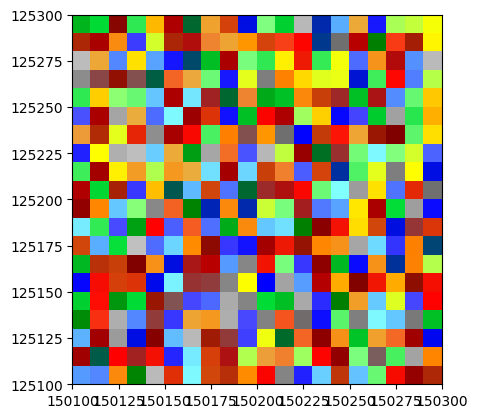
wa_crop.import_geotif(tif_path, crop=[150100., 150300., 125100., 125300.])
print(wa_crop)
wa_crop.plot_matplotlib()
Shape  : 20 x 20
Resolution  : 10.0 x 10.0
Spatial extent :
   - Origin : (150100.0 ; 125100.0)
   - End : (150300.0 ; 125300.0)
   - Width x Height : 200.0 x 200.0
   - Translation : (0.0 ; 0.0)
Null value : 0.0
[8]:
(<Figure size 640x480 with 1 Axes>, <Axes: >)
Exporting with export_geotif
export_geotif() gives fine control over the output directory, extent, and EPSG code.
[9]:
outdir = os.path.join(tmpdir, 'geotif_export')
os.makedirs(outdir, exist_ok=True)
wa.export_geotif(outdir=outdir, EPSG=31370)
print('Exported files:', os.listdir(outdir))
Exported files: ['.tif']
Clean Up
[10]:
shutil.rmtree(tmpdir, ignore_errors=True)
print('Temporary files removed.')
Temporary files removed.