wolfhece.PyVertex._gui
Author: HECE - University of Liege, Pierre Archambeau Date: 2024
Copyright (c) 2024 University of Liege. All rights reserved.
This script and its content are protected by copyright law. Unauthorized copying or distribution of this file, via any medium, is strictly prohibited.
Module Contents
- class wolfhece.PyVertex._gui.Cloud_Styles(*args, **kwds)[source]
Bases:
enum.Enum
Rendering styles for a cloud of vertices in OpenGL.
Each member maps to an integer used by
cloudpropertiesstyleattribute and thecloud_vertices.plot()method.
- class wolfhece.PyVertex._gui.Cloud_OGLRenderer(*args, **kwds)[source]
Bases:
enum.Enum
Rendering backend for cloud vertices.
- class wolfhece.PyVertex._gui.Cloud_AnimationMode(*args, **kwds)[source]
Bases:
enum.Enum
Animation modes for cloud rendering.
- wolfhece.PyVertex._gui.circle(x: float, y: float, r: float, numseg: int = 20)[source]
Draw a filled circle using an OpenGL polygon.
- Parameters:
x – X coordinate of the center.
y – Y coordinate of the center.
r – radius of the circle (in map units).
numseg – number of segments used to approximate the circle.
- wolfhece.PyVertex._gui.circle_outline(x: float, y: float, r: float, numseg: int = 20)[source]
Draw a hollow circle using an OpenGL line loop.
- wolfhece.PyVertex._gui.cross(x: float, y: float, r: float)[source]
Draw a cross (two perpendicular lines) using OpenGL.
- Parameters:
x – X coordinate of the center.
y – Y coordinate of the center.
r – half-length of each arm (in map units).
- wolfhece.PyVertex._gui.quad(x: float, y: float, r: float)[source]
Draw a filled square (quad) using OpenGL.
- Parameters:
x – X coordinate of the center.
y – Y coordinate of the center.
r – half-side length of the square (in map units).
- class wolfhece.PyVertex._gui.cloudproperties(lines=[], parent: cloud_vertices = None)[source]
Bases:
wolfhece.PyVertex._model.cloudproperties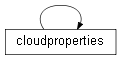
Cloud properties with wx GUI support.
Extends
cloudproperties_modelwith aWolf_Paramdialog for interactive editing of drawing and legend parameters.- Variables:
myprops –
Wolf_Paramdialog instance,Noneuntildefaultprop()orshow()is called.
- myprops: wolfhece.PyParams.Wolf_Param = None[source]
- classmethod _package_symbol_map() dict[str, str][source]
Return
{display_label: relative_path}for bundled symbols.
- classmethod _list_package_symbols() list[str][source]
Return bundled symbol choices formatted for GUI selection.
- classmethod _resolve_symbolpreset_to_relpath(preset: str | None) str[source]
Resolve a GUI preset label or legacy relative path to a relative path.
- classmethod _infer_symbolpreset_from_source(symbolsource: str | None) str[source]
Infer the bundled symbol preset from a source path when possible.
- get_effective_symbol_source() str[source]
Return the actual symbol path used for rendering.
Package presets take priority. When no preset is selected, the custom file path stored in
symbolsourceis used.
- _effective_symbol_source_from_values(preset: str | None, symbolsource: str | None) str[source]
Resolve effective symbol path from explicit preset/source values.
- _make_placeholder_bitmap(message: str, size: int = 96) wx.Bitmap[source]
Build a neutral placeholder bitmap for missing/invalid previews.
- _load_symbol_preview_bitmap(symbol_path: str, size: int = 96) wx.Bitmap[source]
Load a symbol preview bitmap from raster image or SVG.
- _format_preview_info(symbol_path: str | None) str[source]
Return a compact preview label to avoid stretching the dialog width.
- _ensure_symbol_preview_widgets() None[source]
Create the simple symbol preview widgets below the property grid.
- _update_symbol_preview(symbol_path: str | None = None) None[source]
Refresh the preview panel with the currently selected symbol.
- _on_symbol_property_changed(event) None[source]
Update symbol preview when package/custom symbol selection changes.
- defaultprop()[source]
Create the
Wolf_Paramdialog and populate it with default values.If the dialog already exists, it is reused. Parameters for drawing style (color, width, style, transparency…) and legend (text, font, position…) are added.
- fill_property()[source]
Read all current values from the
Wolf_Paramdialog into attributes.Called automatically by
Wolf_Paramwhen the user validates a parameter change. Also triggers an OpenGL refresh on the parent cloud if a mapviewer is available.
- show()[source]
Populate the
Wolf_Paramdialog with current attribute values and display it.Creates the dialog via
defaultprop()if it does not exist yet, then synchronises all fields and callsPopulate()/Show().
- class wolfhece.PyVertex._gui.cloud_vertices(fname='', fromxls='', header=False, toload=True, idx='', plotted=True, mapviewer=None, need_for_wx=False, bbox=None, dxf_imported_elts=['MTEXT', 'INSERT'])[source]
Bases:
wolfhece.PyVertex._model.cloud_vertices,wolfhece.drawing_obj.Element_To_Draw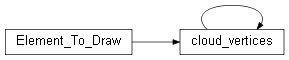
Cloud of vertices with OpenGL rendering and wx GUI support.
Inherits data handling from
cloud_vertices_modeland drawable behaviour fromElement_To_Draw.- Variables:
gllist – OpenGL display list identifier (0 = not compiled yet).
forceupdategl – if
True, the display list will be recompiled on the nextplot()call.ongoing – guard flag to prevent recursive display-list compilation.
- check_plot()[source]
Mark the cloud as plotted and lazy-load data if needed.
Sets
self.plotted = True. If the cloud has not been loaded yet, the source file is read before the first draw.
- on_changed_vertices()[source]
Invalidate rendering caches after vertex edits and request redraw.
If this cloud belongs to a
cloud_of_cloudswhose editor frame is open and this cloud is the active one, the CpGrid is refreshed automatically.
- _make_cloud_vertices(**kwargs) cloud_vertices[source]
Create a sibling GUI-aware cloud_vertices.
- _make_cloudproperties(**kwargs) cloudproperties[source]
Create a GUI-aware cloudproperties.
- _make_cloudproperties_from_dict(d: dict, **kwargs) cloudproperties[source]
Create a GUI-aware cloudproperties from a dictionary.
- _resolve_animation_phase(xmin=None, ymin=None, xmax=None, ymax=None) tuple[float, int][source]
Return animation phase/mode and manage animation-clock subscription.
- static _apply_animation_effect(base_rgb: tuple[float, float, float], alpha: float, point_size_px: float, phase: float, mode: int, amplitude: float = 1.0) tuple[bool, tuple[float, float, float], float, float][source]
Apply animation effect and return (visible, rgb, alpha, size_px).
- uncheck_plot(unload=True)[source]
Mark the cloud as not plotted.
- Parameters:
unload – reserved for future use (currently unused).
- _resolve_shapefile_column(gdf, targetcolumn: str) str[source]
Present a wx dialog to let the user choose a column interactively.
Overrides
cloud_vertices_model._resolve_shapefile_column(). Falls back to logging an error if wx is not available.- Parameters:
gdf –
GeoDataFramealready loaded from the Shapefile.targetcolumn – the originally requested column name (not found).
- Returns:
column name chosen by the user, or
Noneto abort.
- static _legend_alignment_from_relpos(relpos: int) str[source]
Map keypad-like relative position to text horizontal alignment.
- static _is_shader_mode(rendering_machine) bool[source]
Return True when rendering mode requests the shader pipeline.
Accepted inputs are: - Cloud_OGLRenderer enum value - integer backend id (0=list, 1=shader) - string name (‘shader’)
- _resolve_mvp_viewport(xmin=None, ymin=None, xmax=None, ymax=None, mvp=None, viewport=None) tuple[numpy.ndarray | None, tuple[int, int] | None][source]
Resolve MVP/viewport with the following priority:
explicit function arguments,
mapviewer projection/viewport,
orthographic MVP from bounds + canvas viewport fallback.
- static _compute_shader_point_size_px(style: int, width: float, mvp: numpy.ndarray, viewport: tuple[int, int]) float[source]
Convert cloud width semantics to point-size pixels for shader draw.
- _width_world_for_pixel_size(width_px: float) float[source]
Convert a marker width expressed in pixels to world units.
- _build_points_xy() numpy.ndarray[source]
Build an
(N, 2)float32 array from model coordinates.This relies on the model-level
xyzaccessor so both storage backends (dict or numpy) are handled transparently.
- set_per_point_transform(pts_transform: numpy.ndarray | None) None[source]
Attach per-point rotation/scale data for the next draw call (Option B).
- Parameters:
pts_transform –
(N, 2)float32 array whose columns are[rotation_rad, scale], one row per cloud point. PassNoneto revert to the per-cloud uniform values (Option A: Symbol rotation and Symbol scale properties).
- _plot_shader(xmin=None, ymin=None, xmax=None, ymax=None, mvp=None, viewport=None, anim_phase: float = 0.0, anim_mode: int = ANIM_NONE)[source]
Render cloud points with the shader pipeline.
- static _build_ortho_mvp(xmin: float, ymin: float, xmax: float, ymax: float) numpy.ndarray | None[source]
Build a 2D orthographic MVP matching the current world view bounds.
- _get_viewport_size() tuple[int, int] | None[source]
Return viewport size from mapviewer/canvas if available.
- _legend_anchor_for_vertex(vx: float, vy: float, text_height_world: float = 0.0) tuple[float, float][source]
Compute legend anchor around a vertex from
legendrelpos.Horizontal placement is handled by text alignment (left/center/right), so X stays anchored on the vertex. Vertical placement is approximated with a half-height shift to match historical relative-position behavior.
- static _legend_text_height_world(text: str, atlas: wolfhece.opengl.text_renderer2d.GlyphAtlas, mvp: numpy.ndarray, viewport: tuple[int, int], *, font_size: float, size_in_pixels: bool, world_height: float | None, world_width: float | None, line_spacing: float = 1.2) float[source]
Estimate rendered text height in world units for relpos offsets.
- plot_legend(sx=None, sy=None, xmin=None, ymin=None, xmax=None, ymax=None, size=None, rendering_machine=None, mvp=None, viewport=None, anim_phase=0.0)[source]
Render the legend for each visible vertex using the SDF text renderer.
For every vertex inside the current view bounds, text is rendered directly in OpenGL using
TextRenderer2D.- Parameters:
sx – unused (reserved).
sy – unused (reserved).
xmin – left boundary of the current view (map units).
ymin – bottom boundary of the current view (map units).
xmax – right boundary of the current view (map units).
ymax – top boundary of the current view (map units).
size – unused (reserved).
rendering_machine – optional renderer hint (unused).
mvp – optional 4x4 MVP matrix.
viewport – optional
(width_px, height_px).anim_phase – animation phase in
[0, 1].
- reset_listogl()[source]
Delete the compiled OpenGL display list and schedule recompilation.
Sets
forceupdategl = Trueso the nextplot()call rebuilds the list.
- _plot_list(update: bool = False, color_override: int | None = None, width_override: float | None = None)[source]
Render the cloud with the legacy display-list / immediate-mode path.
- plot_highlight_vertex(row_id, size_factor: float | None = None, color_rgb: tuple[int, int, int] | None = None)[source]
Draw ring/cross marker around one cloud vertex identified by row id.
- plot(update: bool = False, *args, rendering_machine=None, mvp=None, viewport=None, **kwargs)[source]
Render the cloud of vertices using OpenGL (dispatcher).
- Parameters:
update – if
True, force recompilation of the display list even if one already exists.args – additional positional arguments (unused).
rendering_machine – backend selector (list/shader).
mvp – optional 4x4 MVP matrix for shader mode.
viewport – optional
(width_px, height_px)for shader mode.kwargs – keyword arguments forwarded to
plot_legend()(typicallyxmin,ymin,xmax,ymax).
- show_properties()[source]
Open the interactive properties dialog for this cloud.
Delegates to
cloudproperties.show().
- plot_matplotlib(ax=None, **kwargs)[source]
Display the cloud using Matplotlib (2D scatter plot).
- Parameters:
ax – existing Matplotlib axes. If
None, a new figure and axes are created.kwargs – extra keyword arguments forwarded to
ax.scatter(x, y, **kwargs)(e.g.c=,s=,marker=,cmap=…).
- Returns:
tuple
(fig, ax).
- class wolfhece.PyVertex._gui.cloud_of_clouds(idx: str = '', clouds: list[cloud_vertices] | None = None, plotted: bool = True, mapviewer=None, need_for_wx: bool = False, parent=None)[source]
Bases:
wolfhece.PyVertex._model.cloud_of_clouds,wx.Frame,wolfhece.drawing_obj.Element_To_Draw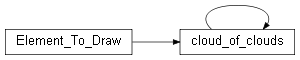
GUI-enabled collection of
cloud_verticesinstances.Inherits data handling from
cloud_of_clouds_modeland drawable behaviour fromElement_To_Draw.Also inherits from
wx.Frameto provide an interactive editor with a tree list of clouds and a CpGrid for vertex coordinates, following the same pattern asZones.Each child cloud is a GUI-aware
cloud_vertices(with OpenGL rendering). The collection delegatesplot,check_plot,uncheck_plotandset_mapviewerto every child cloud so that toggling visibility on the collection toggles all children at once.- active_cloud: cloud_vertices | None = None[source]
- _make_cloud_vertices(**kwargs) cloud_vertices[source]
Create a GUI-enabled cloud_vertices.
- _make_cloud_vertices_from_dict(d: dict, **kwargs) cloud_vertices[source]
Create a GUI-enabled cloud_vertices from a dictionary.
- create_cloud(idx: str = '', **kwargs) cloud_vertices[source]
Create a new GUI-enabled cloud and add it to the collection.
- Parameters:
idx – identifier for the new cloud.
kwargs – forwarded to
cloud_verticesconstructor.
- Returns:
the newly created cloud.
- set_mapviewer(newmapviewer=None)[source]
Attach a mapviewer to the collection and propagate to all children.
- find_minmax(force: bool = True)[source]
Recompute bounds for all clouds and update Element_To_Draw extent.
- plot(sx=None, sy=None, xmin=None, ymin=None, xmax=None, ymax=None, size=None, rendering_machine=None, mvp=None, viewport=None, **kwargs)[source]
Render all child clouds.
Delegates to each cloud’s
plot()method.- Parameters:
rendering_machine – backend selector (list/shader).
mvp – optional 4×4 MVP matrix for shader mode.
viewport – optional viewport tuple for shader mode.
- show_properties(parent=None, forceupdate=False)[source]
Open the interactive editor frame.
If the editor has not been built yet, create the wx.Frame and its widget tree (tree list, CpGrid, buttons).
- Parameters:
parent – parent object (e.g. mapviewer).
forceupdate – if
True, rebuild the whole UI.
- add_cloud(cloud: cloud_vertices) None[source]
Append a cloud and propagate current mapviewer.
- plot_matplotlib(ax=None, **kwargs)[source]
Display all clouds using Matplotlib.
- Parameters:
ax – existing Matplotlib axes. If
None, a new figure and axes are created.kwargs – forwarded to each cloud’s
plot_matplotlib.
- Returns:
tuple
(fig, ax).
- _activate_cloud(cloud: cloud_vertices | None)[source]
Set the active cloud and update the grid.
- _on_bulk_properties(event)[source]
Edit display properties for all clouds at once.
Only properties whose value is common across every cloud are placed as Active parameters. Non-common properties appear only in the Default page. The user can promote a Default value by editing it; only Active values are propagated to the individual clouds upon Apply.