Statistiques de données de pluie
Manipulation de données en provenance du site https://hydrometrie.wallonie.be
Import de modules
[7]:
import matplotlib.pyplot as plt
import numpy as np
import datetime as dt

from wolfhece import is_enough
if not is_enough('2.2.63'):
     print('Please update wolfhece to version 2.2.63 or higher to run this notebook')

from wolfhece.hydrometry.rain_SPWMI import *
from wolfhece.hydrometry.flow_SPWMI import *
Instanciation des objets
Les séries temporelles n’ont pas la même durée selon le pas d’acquisition.
Pour faciliter la manipulation, des classes spécifiques sont proposées pour les pas de 5 minutes et 1 heure.
[ ]:
#objet de gestion des pluvios SPW
precip_1h = SPW_pluviographs_1h()
Chargement de toutes les données
Une fois en local, le chargement de toutes les données ne prend que quelques secondes.
Le format parquet est particulièrement efficace dans ce cadre.
La routine “load_all” retourne un dictionnaire dont les clés sont les ts_id et les valeurs sont les séries pandas.
Ce dictionnaire est également disponible comme attribut de l’objet. L’accès à une station peut s’y faire grâce à son nom, la conversion vers le ts_id étant gérée pour vous.
[9]:
all_data = precip_1h.load_all()

print('Type of the data : {0}'.format(type(all_data)))
83it [00:01, 80.06it/s]WARNING:root:The file C:\Users\pierre\Documents\Gitlab\HECEPython\docs\source\tutorials\..\..\..\wolfhece\hydrometry\..\data\hydrometry\rain\1h\399076010.parquet is empty, unable to load data for station C:\Users\pierre\Documents\Gitlab\HECEPython\docs\source\tutorials\..\..\..\wolfhece\hydrometry\..\data\hydrometry\rain\1h\399076010.parquet
92it [00:01, 72.63it/s]WARNING:root:The file C:\Users\pierre\Documents\Gitlab\HECEPython\docs\source\tutorials\..\..\..\wolfhece\hydrometry\..\data\hydrometry\rain\1h\403325010.parquet is empty, unable to load data for station C:\Users\pierre\Documents\Gitlab\HECEPython\docs\source\tutorials\..\..\..\wolfhece\hydrometry\..\data\hydrometry\rain\1h\403325010.parquet
93it [00:01, 76.78it/s]
Type of the data : <class 'dict'>
Extraire des statistiques
[10]:
station = 'Jalhay'
stats = precip_1h.analyze(precip_1h[station], name=station)
# return a StatisticsSeries class
print(stats)
print(precip_1h['Jalhay'].index[-1])
Statistics for Jalhay:
Global stats: Mean: 0.14
Median: 0.00
Std: 0.60
Min: 0.00
Max: 28.30
Q25: 0.00
Q75: 0.00
Skewness: 11.08
Kurtosis: 223.96
Number of values: 211378
Total number of values: 211385
Coverage: 9999.67%
Missing values: Number: 7
Percentage: 0.33%
Date range: Start: 2002-01-01 00:00:00+01:00
End: 2026-02-11 16:00:00+01:00
All ranges: [(Timestamp('2002-01-01 00:00:00+0100', tz='pytz.FixedOffset(60)'), Timestamp('2006-03-01 13:00:00+0100', tz='pytz.FixedOffset(60)')), (Timestamp('2006-03-01 15:00:00+0100', tz='pytz.FixedOffset(60)'), Timestamp('2006-03-11 15:00:00+0100', tz='pytz.FixedOffset(60)')), (Timestamp('2006-03-11 17:00:00+0100', tz='pytz.FixedOffset(60)'), Timestamp('2006-03-13 09:00:00+0100', tz='pytz.FixedOffset(60)')), (Timestamp('2006-03-13 14:00:00+0100', tz='pytz.FixedOffset(60)'), Timestamp('2010-06-22 12:00:00+0100', tz='pytz.FixedOffset(60)')), (Timestamp('2010-06-22 14:00:00+0100', tz='pytz.FixedOffset(60)'), Timestamp('2026-02-11 16:00:00+0100', tz='pytz.FixedOffset(60)'))]
Years: Number of years: 25, Number of complete years: 23
2026-02-11 16:00:00+01:00
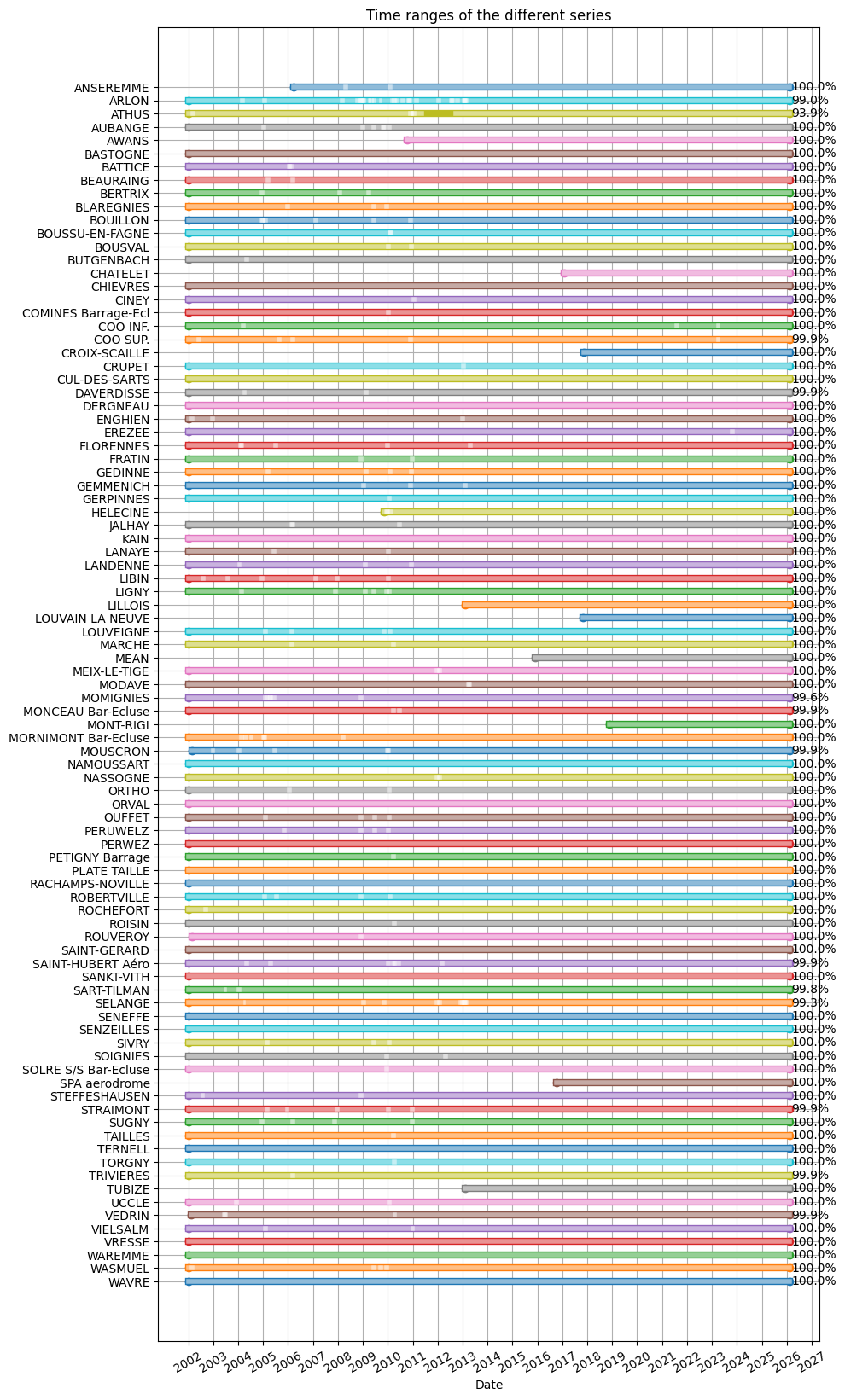
Tracer les périodes de données disponibles
[11]:
fig,ax = precip_1h.plot_time_ranges(precip_1h.analyze_all())
fig.set_size_inches(10,20)
Evolution mensuelle
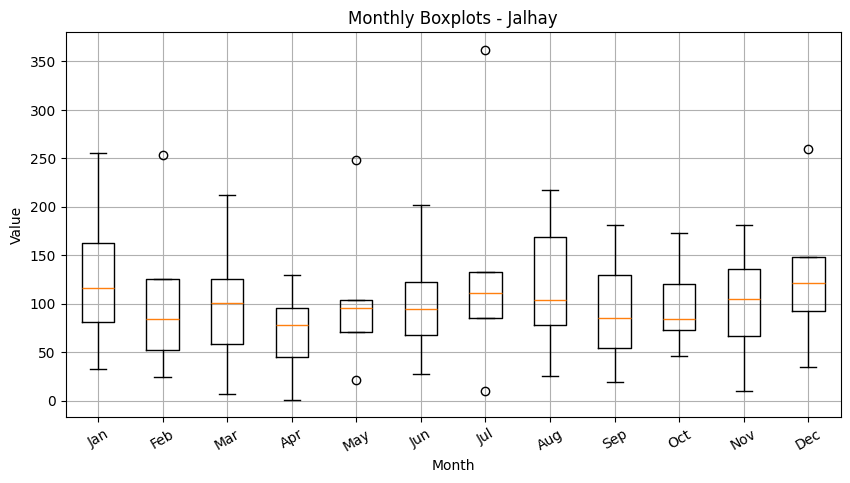
[12]:
precip_1h.plot_monthly_boxplots(stats)
[12]:
(<Figure size 1000x500 with 1 Axes>,
 <Axes: title={'center': 'Monthly Boxplots - Jalhay'}, xlabel='Month', ylabel='Value'>)
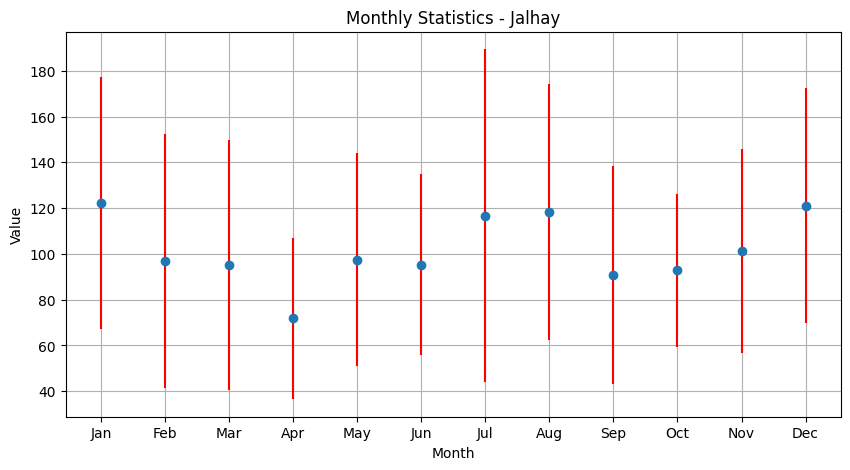
[13]:
precip_1h.plot_monthly_statistics(stats)
[13]:
(<Figure size 1000x500 with 1 Axes>,
 <Axes: title={'center': 'Monthly Statistics - Jalhay'}, xlabel='Month', ylabel='Value'>)
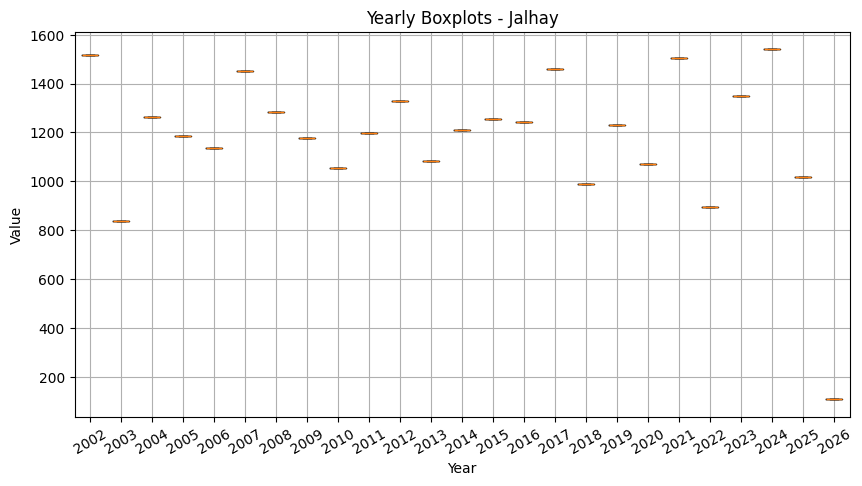
Evolution annuelle
[14]:
precip_1h.plot_yearly_boxplots(stats)
[14]:
(<Figure size 1000x500 with 1 Axes>,
 <Axes: title={'center': 'Yearly Boxplots - Jalhay'}, xlabel='Year', ylabel='Value'>)
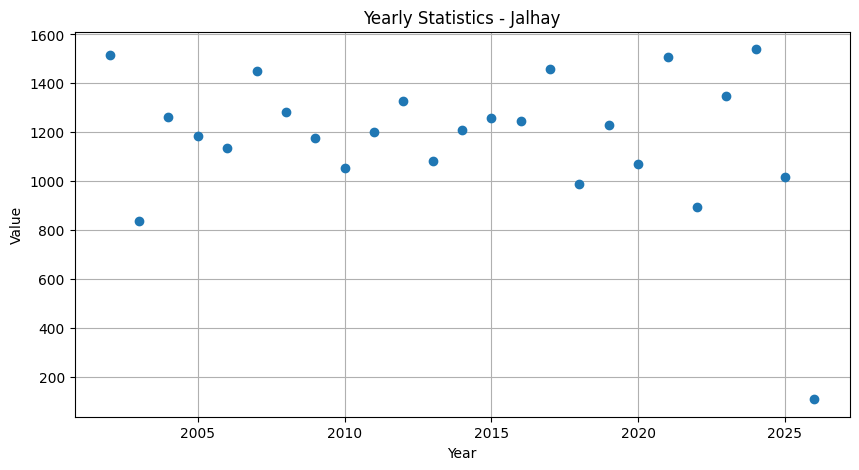
[15]:
precip_1h.plot_yearly_statistics(stats)
[15]:
(<Figure size 1000x500 with 1 Axes>,
 <Axes: title={'center': 'Yearly Statistics - Jalhay'}, xlabel='Year', ylabel='Value'>)